


Oracle
E- Business Suits General
Ledger Setup Part 1
E- Business Suits General
Ledger Setup Part 1
General Ledger is the key role in any ERP suits or Application and it is
baseline for Financial Impacts therefore it should be properly configured
and setup according to business requirements.
baseline for Financial Impacts therefore it should be properly configured
and setup according to business requirements.
Oracle General Ledger Setup/
configuration have easiest steps as compared to any other ERP Suit. First for
most configuration point is to create COA (Chart of Accounts) Setup divided
into 4 Parts
configuration have easiest steps as compared to any other ERP Suit. First for
most configuration point is to create COA (Chart of Accounts) Setup divided
into 4 Parts
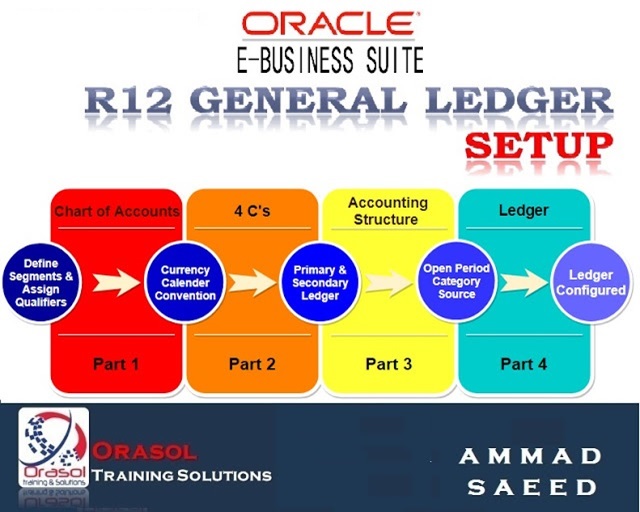
Part 1: Chart of Accounts (Define Segment, Value Set &
Qualifiers)
Part 2: 4 C’s
Part 3: Accounting Structure
Part 4: Ledger
In Part 1: we will have focus on GL Segment, value sets and their
proper assignment of Qualifier to appropriate segments
proper assignment of Qualifier to appropriate segments
Step 1
Define COA
Setup > Financials > Key >
Segments
Segments

Step 2
Find Application “General
Ledger”& Flex filed title “Accounting Flexfield”
Ledger”& Flex filed title “Accounting Flexfield”
COA Structure Name = Orasol COA
Setup 3
Define Segments
Defining 4 Segments
- Company
- Department
- Accounts
- Product

Step 4
Define Value Sets
Define Value sets for each segment
Click Value Set for Company Segment

4.2 Define Value Sets for Department 


Define
Value Set for “Accounts” for “Account1_VS
Define
Value Set for “Product” for “Pro_VS”
Value Set for “Product” for “Pro_VS”
Step 5
Assign Value set to each
Segment and Save the COA
Segment and Save the COA
Step 6
Flexfield Qualifier Assignment
Flexfield Qualifier is important
Assignment to proper segment
Assignment to proper segment
If you assigned wrong Qualifier then
COA will not work properly
COA will not work properly
Company = Balancing Segment
Department = Cost Center Segment
Accounts = Natural Account
Step 7
Save COA
Click Freeze Flexfield Definitions
and Compile
and Compile