

R12 Inventory |
How to Update Item Cost Update
this Article explains the steps, how to update the cost of an item in Oracle EBS inventory
we categorized it into three parts
- Verifying the existing item cost
- Change/Update in Unit cost
- Verify the Updated Unit Cost
Step 1: Verifying the Existing Item Cost
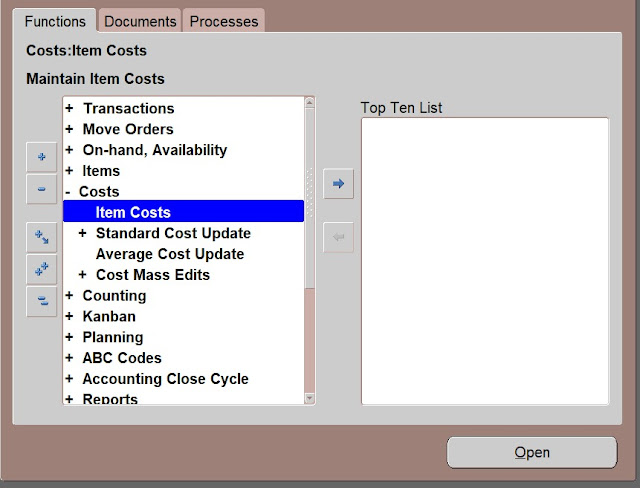
Navigate to
Inventory
Responsibility à
Costs à
Item Costs
Responsibility à
Costs à
Item Costs

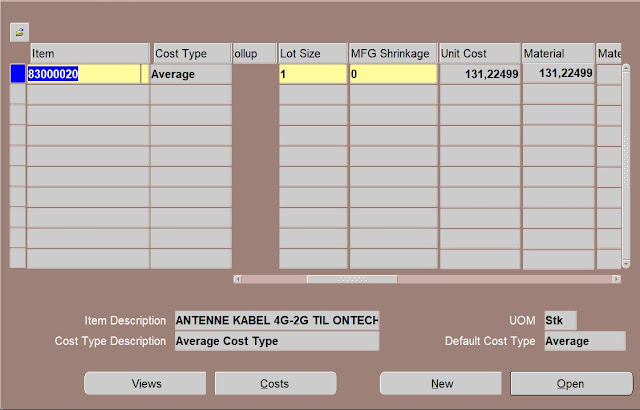
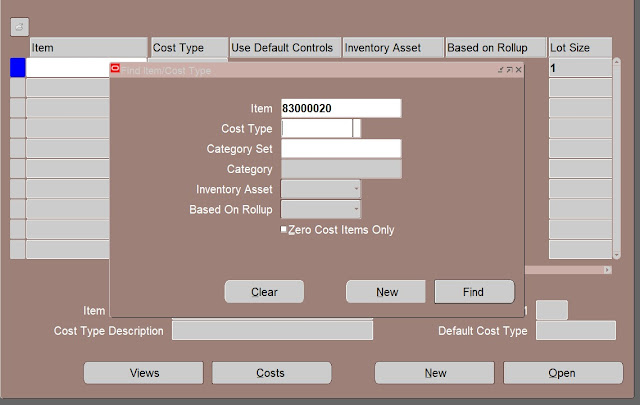
provide item name and click find

Existing Unit Cost is 131,22499
Step 2: Change/Update Unit Cost into 140
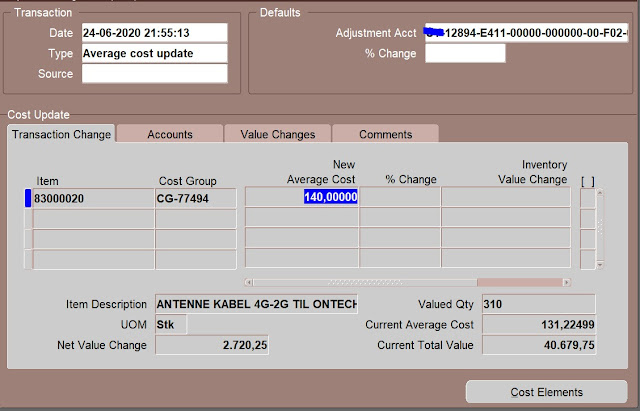
Change Unit Cost of item form 131 to 140
Navigation to
Inventory Responsibility à Costs à Average Cost Update

fill following fields
Type
Adjustment Account
Item
New Average Cost 140 or can fill % Change
Step 3: Verifying the Updated Item Cost
Navigate to
Inventory Responsibility à Costs à Item Costs
Find Item
Click Find
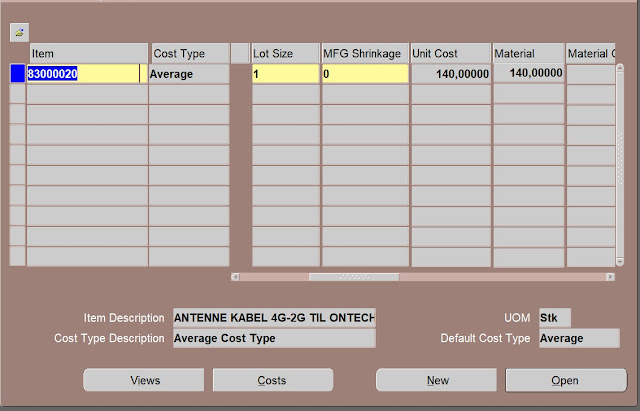
here you can see Unit Cost reflected as 140